September 5, 2026
Canon PowerShot A3400 IS: A Touchscreen CCD
The Canon A3400 IS pairs a 16MP CCD sensor with a 3-inch touchscreen — a rare combination, and one of the last cheap CCD PowerShots Canon ever made.
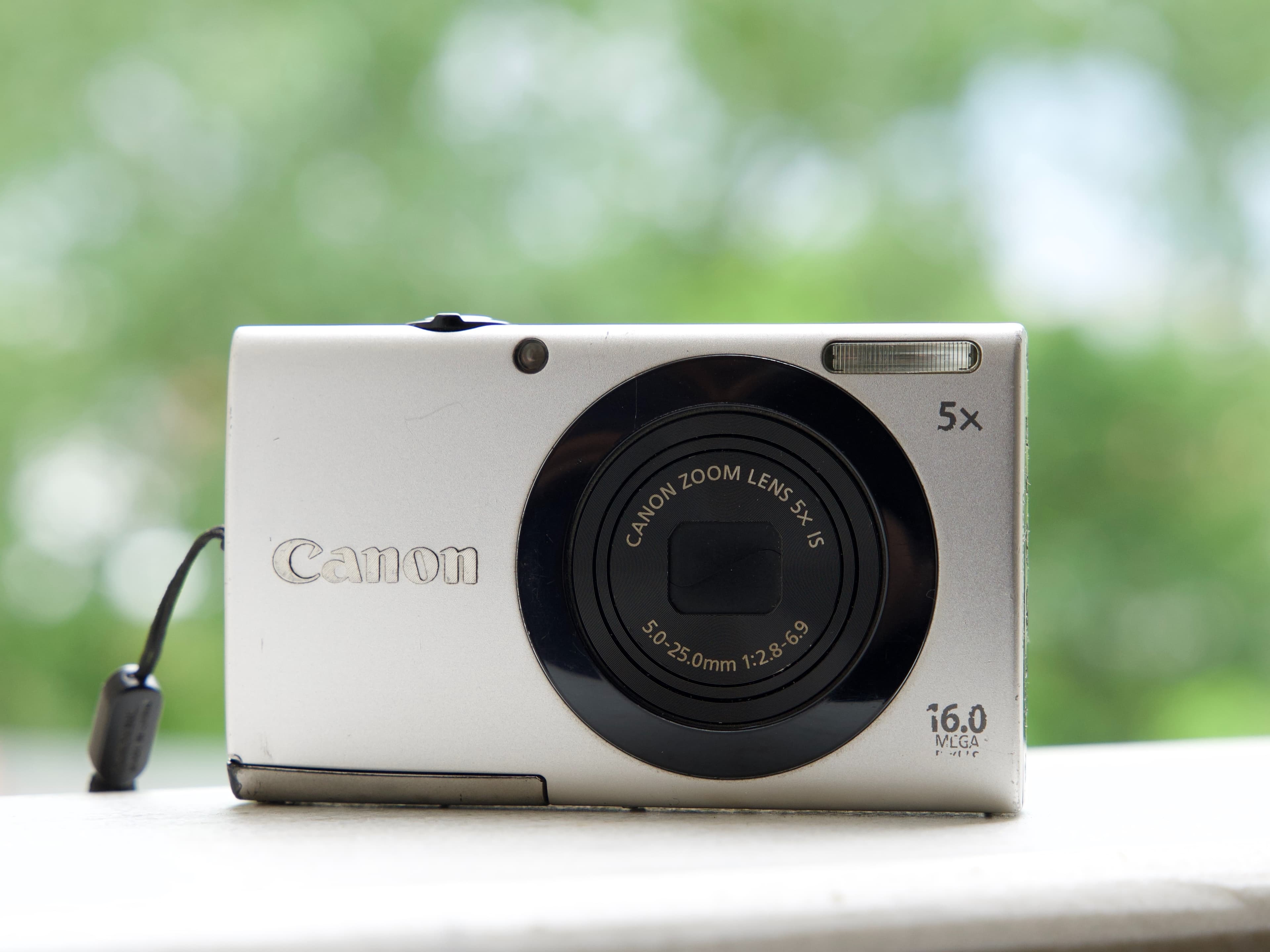
If you want the CCD look but you also want to tap the screen to focus, your options are unusually narrow. By the time touchscreens reached cheap compacts, almost every manufacturer had already moved to CMOS. The Canon PowerShot A3400 IS is one of the few cameras that landed in the overlap.
It has a 16-megapixel CCD sensor, a 5x optical zoom starting at a useful 28mm wide, optical stabilisation, and a 3-inch touchscreen with Touch AF and Touch Shutter. Canon released it in 2012 as the first camera in the budget A-series to get a touchscreen — a feature that had been reserved for the pricier IXUS line until then.
Why the CCD Matters Here
By 2012 CCD was on its way out. Canon had already moved its higher-end compacts to CMOS under the HS System branding, and within a couple of years CCD had disappeared from the lineup entirely. The A3400 IS is from the tail end of that era, which is exactly what makes it interesting now.
The practical effect is the rendering people are actually buying these cameras for: colour that is dense and slightly cool, noise that breaks up more like grain than smearing, and highlight roll-off that behaves differently from a modern sensor. Reviewers at the time described the images as vibrant with a nostalgic feel, which is a fair description and reads rather differently in 2026 than it did on release.
The trade-off is the standard CCD one. This is a daylight camera. Past ISO 400 the noise arrives and the camera slows down. If you shoot mostly indoors without flash, buy something with a backside-illuminated CMOS sensor instead.
The Touchscreen Is Not a Gimmick
Touch AF on a compact does something genuinely useful: it lets you put focus exactly where you want it without hunting through a menu or half-pressing and recomposing. On a camera with no viewfinder, where you are already composing on the screen, tapping the subject is the fastest way to work.
Touch Shutter takes that one step further and fires the moment you tap. For handing the camera to someone who has never used a camera, this removes the entire concept of a shutter button from the interaction.
Canon also fitted Intelligent IS, which picks a stabilisation mode based on what the camera thinks you are doing, and Powered IS for reducing wobble in video. Video maxes out at 720p at 25 frames per second, which is modest, but this was never a video camera.
Who Should Buy It
Buy this if you want a genuine CCD digicam and you want it to feel modern to use. It is a good first camera for someone coming from a phone, because the touch interface is familiar and the help button explains the settings as you go.
It is also a sensible choice as a small camera for a bag or a pocket that you take out on daylight trips. Sixteen megapixels is more than enough resolution for anything you will realistically do with the files.
Do not buy it for low light, for video, or for action. Those are not what this camera is.
What to Check When Buying Used
Start with the touchscreen, since it is the reason you are choosing this body over a cheaper one. These are resistive screens rather than the capacitive glass on a phone, so they need a firmer press and feel different — that is normal. What is not normal is a dead zone. Work through the on-screen controls and tap in every corner and across the middle, and confirm the camera responds everywhere. A partially dead touch layer cannot be economically repaired on a camera at this price.
Extend and retract the zoom lens six or seven times, listening for grinding and watching for a Lens Error message. This is the most common failure on any compact of this age and it is what most often ends their lives.
Check the screen itself against a bright background for pressure marks and dead pixels — separate from the touch layer, and both can fail independently.
Fire the flash five times in a row and confirm it recharges each time rather than fading after the first shot.
Shoot a plain white wall at the widest zoom setting and look for dark specks, which are dust on the sensor and difficult to remove on a sealed compact.
The A3400 IS uses a rechargeable lithium-ion battery rather than AAs, so ask to see it powered on for several minutes rather than long enough for a single frame. A fourteen-year-old original cell often holds very little, and you should factor a replacement into the price.
Finally, confirm the camera accepts and writes to a memory card you have brought with you. Bodies of this generation can be fussy about high-capacity cards.
Every A3400 IS that comes through Silver Cam is checked for lens travel, flash recharge, screen and touch response and battery health before it is listed; check the shop for what is available right now. We repair the stuck zoom lenses these compacts are prone to, and we buy old digicams you no longer use.