September 5, 2026
Lens Error on a Digicam: Causes and Real Fixes
Lens Error is the fault that kills most old compact cameras. Here is what actually causes it, the two safe things to try yourself, and what will make it worse.
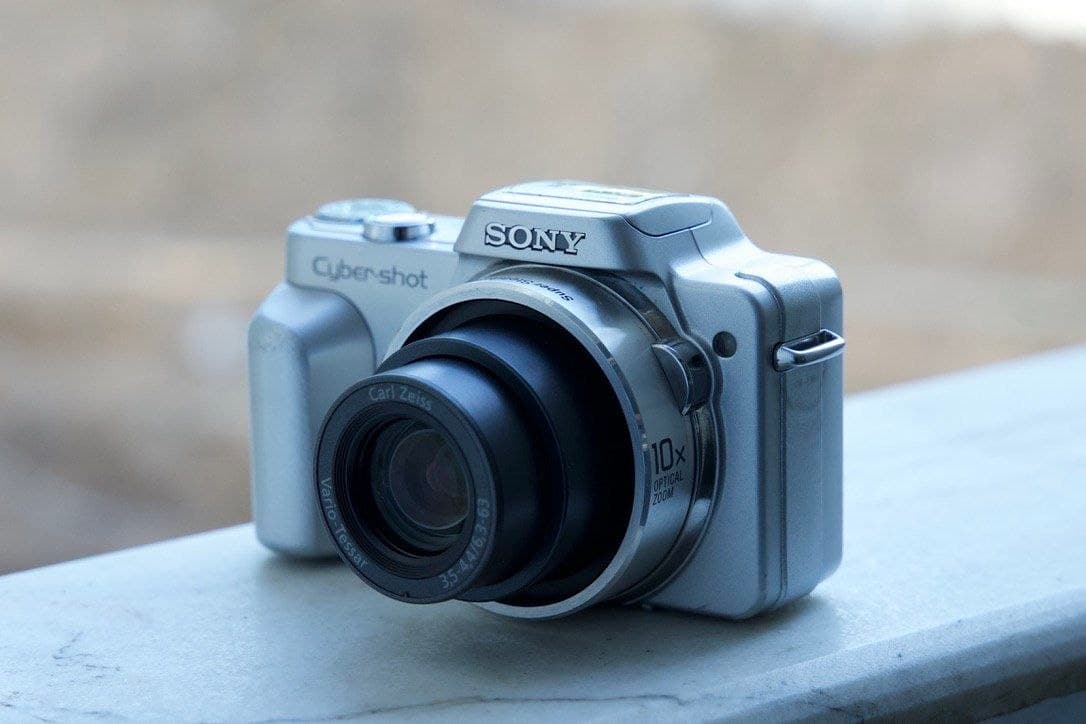
You press the power button, the lens starts to come out, it stops halfway, and the screen says Lens Error. Restart Camera. You restart it and the same thing happens. This is the single most common fault on compact cameras from the 2005 to 2013 era, and it ends more of them than any other problem.
The message itself is not a diagnosis. It means the camera commanded the lens barrel to move and the barrel did not complete the movement, so the camera cut power to protect the motor and the gear train. Several very different problems produce that same message, and one of them costs nothing to fix.
What Actually Causes It
Grit in the barrel is the most common cause by far. A compact lens extends through a series of nested tubes with tolerances measured in fractions of a millimetre. A few grains of sand from a beach bag, or pocket lint compacted into the seam, is enough to stop it. This is why these cameras die on holidays.
A weak battery is the second cause, and this is the one worth knowing. The zoom motor draws its heaviest current at exactly the moment the barrel starts moving. A battery that shows a full icon but has aged badly can fail to deliver that surge, the barrel stalls, and the camera reports a lens error that has nothing to do with the lens. On a fifteen-year-old camera with its original battery, this is a genuinely likely explanation.
Impact damage is the third. A drop onto the extended lens, or even a dent in the body near the barrel, distorts the tubes so they can no longer slide freely. A camera switched on while pressed inside a tight bag does the same thing — the barrel tries to extend against resistance and something bends.
Corrosion is the fourth, from a leaked battery or long storage in damp conditions, and it seizes the mechanism from the inside.
The Two Things Worth Trying Yourself
Start with the battery, because it is free and it is more often the answer than people expect. Put in a fully charged battery, ideally a known-good one rather than the cell that came with the camera. If you have a spare or can borrow one, do that before anything else. Remove the memory card at the same time and restart the camera with nothing in it.
Second, look at the barrel in good light and clear anything visible around the seams with a hand blower — the rubber bulb type sold for cleaning lenses. Blow across the gap, not into it. Then try the power button again.
That is the honest extent of safe home repair. If neither works, the problem is mechanical and inside the assembly.
What Will Make It Worse
The internet is full of advice to tap the camera against your palm, or to grip the barrel and pull it out. Both sometimes work. Both more often push grit deeper into the mechanism, or bend the plastic gear teeth that drive the barrel, and turn a cleanable fault into a scrapped camera. If the camera has any value to you, do not do this.
Do not spray compressed air from a can into the barrel. The pressure drives contamination inward rather than out, and the propellant can leave residue on the internal elements.
Do not try to open the body yourself. Beyond the difficulty of reassembling a compact, there is a real safety reason: the flash capacitor in these cameras stores a charge of several hundred volts and holds it for a long time after the battery is removed. People get a serious shock from this every year. It is not a component to meet by accident.
When Is It Worth Repairing?
Honestly, it depends on the camera. Opening a compact, cleaning the barrel assembly and reseating the gear train is fiddly but routine work for someone who does it regularly. Whether it makes financial sense depends on what the body is worth.
On a cheap compact, a repair can approach the price of simply buying a working example, and there is no shame in that arithmetic. On a camera you actually want — a superzoom with a long barrel, a model with sentimental value, something that has been discontinued and is hard to find — repair is usually the better answer, because a working replacement may not be easy to source.
Bring it in and we will tell you which of those two it is before doing any work. We would rather sell you a working camera than a repair that does not make sense.
How to Avoid It in the First Place
Never switch the camera on while it is inside a bag or a tight pocket. This is the single biggest preventable cause. Give the lens room to extend before you press the button.
Keep the camera in a case, even a soft one. The case is not protecting against drops so much as against the pocket lint and sand that get into the barrel seams.
At the beach, keep it in a sealed bag between shots and never set it down on sand. Sand and compact zoom lenses are simply not compatible.
Replace a tired battery rather than living with it. Beyond the false lens errors, a battery that struggles under load is putting strain on a motor that is fifteen years old.
And when you store a camera for months, take the battery out. Most corroded, seized compacts got that way in a drawer, not in use.
Silver Cam repairs stuck and grinding zoom lenses on compact cameras, and every camera we sell has had its zoom run through the full range before it goes on the site. If yours is showing a lens error, bring it in for an assessment — and if it turns out not to be worth fixing, we buy old digicams for parts as well as for resale.